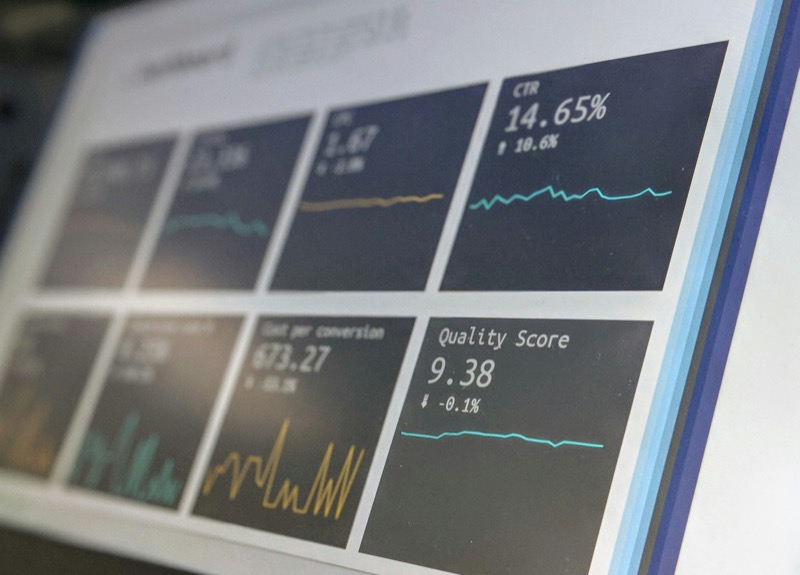
Email reporting should make decision-making easier.
But for many teams, it becomes a spreadsheet maze.
Multiple tabs.
Different formulas.
Copied data from various platforms.
Inconsistent definitions of click-through rate.
The result?
Confusion — and worse, mistrust in the numbers.
As email programs grow, manual spreadsheet reporting becomes harder to maintain, harder to verify, and slower to analyse. What starts as a quick reporting solution often turns into a fragile system built on copied formulas and hidden cells.
The solution isn’t necessarily more tools.
It’s structure.
Here’s how to create a clean, reliable email reporting dashboard — without relying on messy spreadsheets.
Step 1: Define Your Core Email Metrics
Before building any dashboard, decide what actually matters.
A strong email reporting dashboard typically includes:
- Open Rate
- Click-Through Rate (CTR)
- Click-to-Open Rate (CTOR)
- Conversion Rate
- Bounce Rate
- Unsubscribe Rate
If revenue is important to your program, also consider:
- Revenue per Email
- Revenue per Subscriber
- Campaign ROI
Avoid overcrowding your dashboard with secondary or vanity metrics. Raw send counts and total opens might provide context, but they rarely drive optimisation decisions.
Clarity beats volume.
If a metric doesn’t influence action, it doesn’t belong on your primary dashboard.
Step 2: Standardise Your Metric Formulas
One of the biggest spreadsheet problems is inconsistent calculations.
For example:
- CTR calculated as clicks ÷ sent in one report
- CTR calculated as clicks ÷ delivered in another
Over time, this makes comparisons unreliable and trend analysis meaningless.
Standardise your formulas clearly:
Open Rate (%) = Unique Opens ÷ Delivered × 100
CTR (%) = Unique Clicks ÷ Delivered × 100
Conversion Rate (%) = Conversions ÷ Delivered × 100
Document these definitions once and apply them consistently across campaigns and reporting periods.
Consistency enables trust.
Trust enables better decisions.
Step 3: Focus on Trends, Not Single Campaigns
An effective email dashboard should show:
- Last campaign performance
- 30-day average
- 90-day trend
- Month-over-month comparison
Single campaigns fluctuate due to subject lines, timing, or audience segments.
Trends reveal direction.
If your open rate drops by 1% on one campaign, that’s noise.
If it declines steadily over three months, that’s a signal.
Your dashboard should answer:
- Are we improving overall?
- Are engagement rates gradually declining?
- Is list fatigue increasing?
- Which campaign types outperform consistently?
Without trend data, you’re reacting — not optimising.
Step 4: Separate Engagement from Revenue Metrics
Your dashboard should clearly separate:
Engagement Metrics
Outcome Metrics
- Conversion rate
- Revenue per email
- Revenue per subscriber
- Cost per conversion
This separation speeds up diagnosis.
If engagement is strong but revenue is weak, the issue may sit beyond the inbox — landing page friction, offer positioning, or audience mismatch.
If engagement is weak but revenue per conversion is high, subject lines or segmentation may need refinement.
Structure drives clarity.
Step 5: Reduce Manual Workflows
Manual reporting slows growth.
When reporting requires:
- Copying data into sheets
- Rebuilding formulas
- Checking for broken references
- Validating calculations repeatedly
It becomes reactive and time-consuming.
As your send volume increases, so does the risk of human error.
Instead:
- Use consistent metric calculations
- Standardise performance evaluation
- Automate data pulls where possible
- Eliminate duplicate reporting
The goal of a dashboard is clarity — not complexity.
Step 6: Make Your Dashboard Decision-Focused
A good email dashboard doesn’t just display numbers.
It answers questions.
For example:
- Which campaigns generated the highest revenue per send?
- Is click-through rate improving month-over-month?
- Are unsubscribe rates rising after promotional sends?
- Which segments convert above average consistently?
If your dashboard only shows data without context, it isn’t helping.
Each metric should support an optimisation decision.
That’s the difference between reporting and performance management.
Common Email Dashboard Mistakes
- Tracking too many metrics
- Changing formulas between campaigns
- Reporting vanity metrics without outcome analysis
- Ignoring list health indicators
- Failing to review performance trends
A clean dashboard is structured, consistent, and focused.
Final Thoughts
Email reporting doesn’t need complex spreadsheets.
What it requires is:
- Clear metric definitions
- Consistent calculations
- Structured trend analysis
- Separation of engagement and revenue
- Decision-focused reporting
When your email dashboard is reliable, optimisation becomes faster.
When optimisation becomes faster, performance improves.
And when performance improves consistently, your email program scales with confidence.
If you want to model performance more accurately — particularly revenue impact and ROI — using a structured email calculator removes spreadsheet inconsistency and provides clearer forecasting.
Clarity drives growth.
Related Links